How to connect WebPT to ChatGPT, Claude and any AI agent
WebPT has no official MCP server and no public API (checked 26 Nov 2026). Let Claude chase unsigned notes, expiring authorizations and no-shows for your clinic.
Cotlet team 11 min read
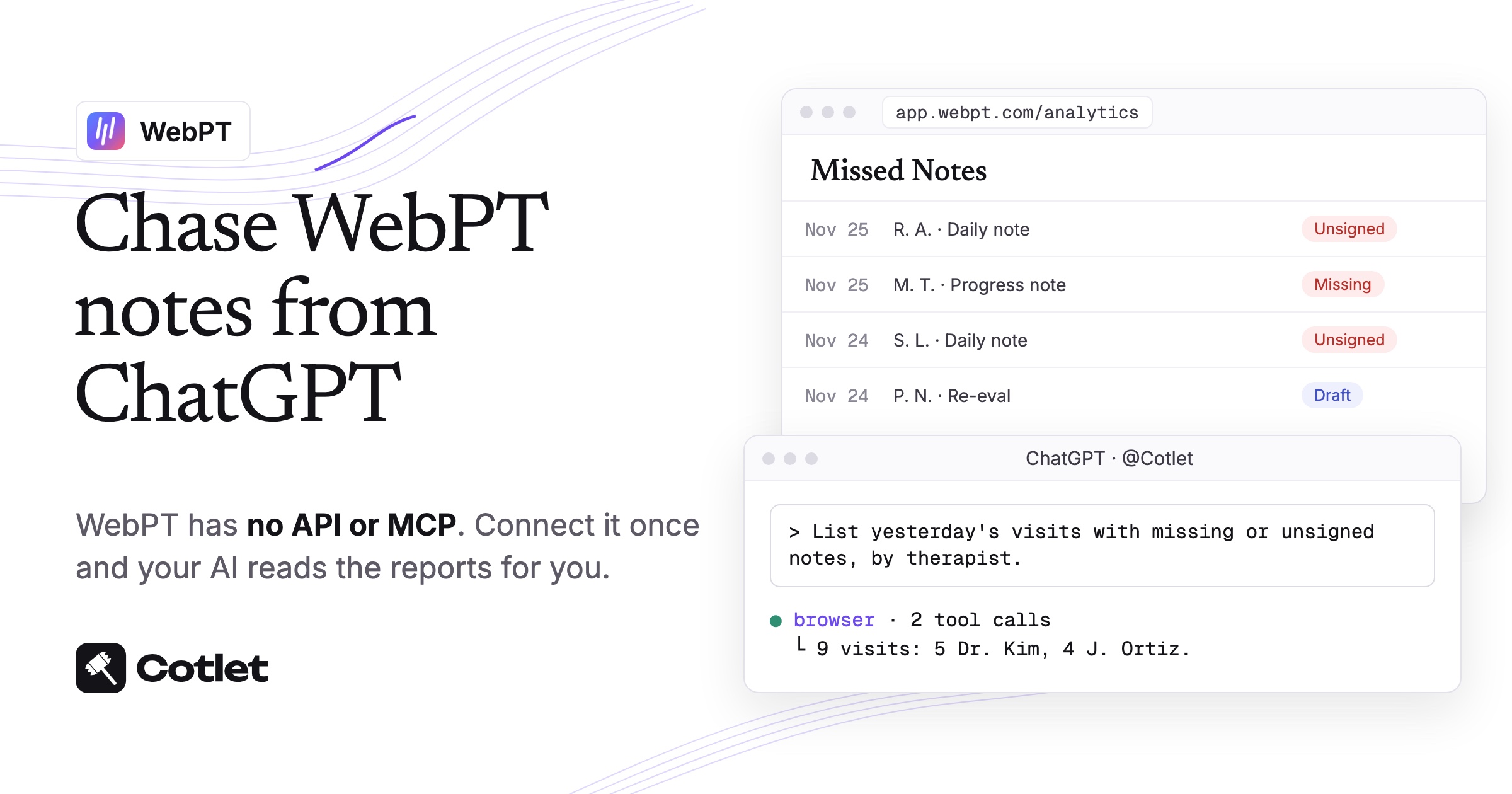
Ask ChatGPT or Claude about your clinic’s missing notes and neither can answer. On 26 November 2026 WebPT offers no MCP server and no connector for either, and a clinic cannot get an API key of its own, because integrations are HL7 projects that WebPT sets up with partners. The way around it is a Cloud Browser run by Cotlet. You log in to WebPT there one time. The AI then reads and acts on the Schedule, Documentation and Analytics screens you use. About ten minutes, no code.
This guide is for the owner or office manager of an outpatient therapy clinic who spends Monday morning in the Missed Notes report, and for the biller who chases authorizations before a visit count runs out. Cotlet sits with the people who run the clinic in WebPT. Patients keep booking and getting reminders the way they do now.
Which WebPT screens the AI can work through
Describe the job in plain words. The AI opens the right report or patient case and reads it:
| Part of WebPT | What the AI handles |
|---|---|
| Documentation | Lists visits with missing or unsigned notes, grouped by therapist |
| Cases | Finds patients with few authorized visits left or a plan of care about to expire |
| Billing | Lists denied or rejected claims with the payer’s reason and what to fix |
| Schedule | Finds patients who cancelled or did not show and have no future visit |
| Analytics | Fills a sheet with documented visits by therapist and by payer |
| Patient records | Downloads signed notes for a date range as PDFs |
| Referrals | Counts new patients by referral source and referring doctor |
A message to a patient and any change to an appointment wait for your OK. A read-only report leaves your WebPT data untouched.
Every supported screen is listed on the WebPT MCP server page. To send the same data to n8n or a sheet from your own endpoint, see the WebPT API page.
What WebPT offers for AI today: API, Rehab AI, ChatGPT app?
Here is the state of play for a WebPT clinic on 26 November 2026:
- No public API. The WebPT integrations page describes managed HL7 projects with more than 60 vendors: patient data in, billing and documents out. You reach them through Contact Us. There is no developer portal and no self-serve key.
- AI that stays inside WebPT. WebPT Rehab AI helps with documentation and works only in the app. It is not a connector that ChatGPT or Claude can use.
- No ChatGPT app or Claude connector. A search of the ChatGPT app directory and Claude’s connector list finds nothing for WebPT, and the official MCP Registry has no WebPT entry.
- No Zapier, Make or n8n app. Both Zapier and Make return a 404 for WebPT.
- Exports by hand. WebPT’s practice management page says practice data exports as CSV. That helps once a month, not every morning.
For now, the fastest path is a hosted MCP server that rides on your own WebPT login. If WebPT ever opens its API to clinics, use it. Each route is scored on Does WebPT have an API or MCP server?.
What to have ready
- Your own WebPT login. An Admin login helps, because WebPT limits some of its data export reports to Admins, as its March 2024 newsletter explains.
- Your usual rebooking text, in one or two sentences.
- The number you care about, for example three visits left on an authorization.
- A ChatGPT or Claude account. A single custom connector is enough, so free Claude works.
- A Cotlet account with the week-long trial, no card (pricing).
Step 1: sign in to WebPT in your Cloud Browser
In the Cotlet console, start the Cloud Browser and load webpt.com/login. Use the email and password from your front desk machine, and type any code WebPT texts you on its own page.
You type the password into WebPT, never into Cotlet. Only an encrypted browser profile stays with your Cotlet account, and if WebPT ends the session the AI asks you to sign in once more. Read how it is protected on the security page.
Step 2: link Cotlet to the AI you already use
Add Cotlet’s MCP address to your AI once, and every screen your login opens is in reach. Open the tile for the client you use.
Pick your AI above to see its steps.
How to connect WebPT to ChatGPT
Do this on chatgpt.com in your browser. Cotlet then works in the ChatGPT desktop and phone apps too.
- Open Plugins in ChatGPT and click Add.
- Click Add custom MCP server. Not in the menu? Turn on Developer mode in Settings, Security and login, then come back.
- Paste the name
Cotletand the server URLhttps://cotlet.dev/mcp/v1/connect. Keep Authentication on OAuth. - Tick “I understand and want to continue” and click Create as a plugin.
- Click Connect Cotlet. A Cotlet page opens, click Allow access.
- In a new chat, type
@Cotletand pick it from the list. - Ask ChatGPT: “Are you signed in to Cotlet through MCP?” Then try a first WebPT task: “List yesterday’s WebPT visits with missing or unsigned notes, grouped by therapist.”

ChatGPT, Plugins page, November 2026.
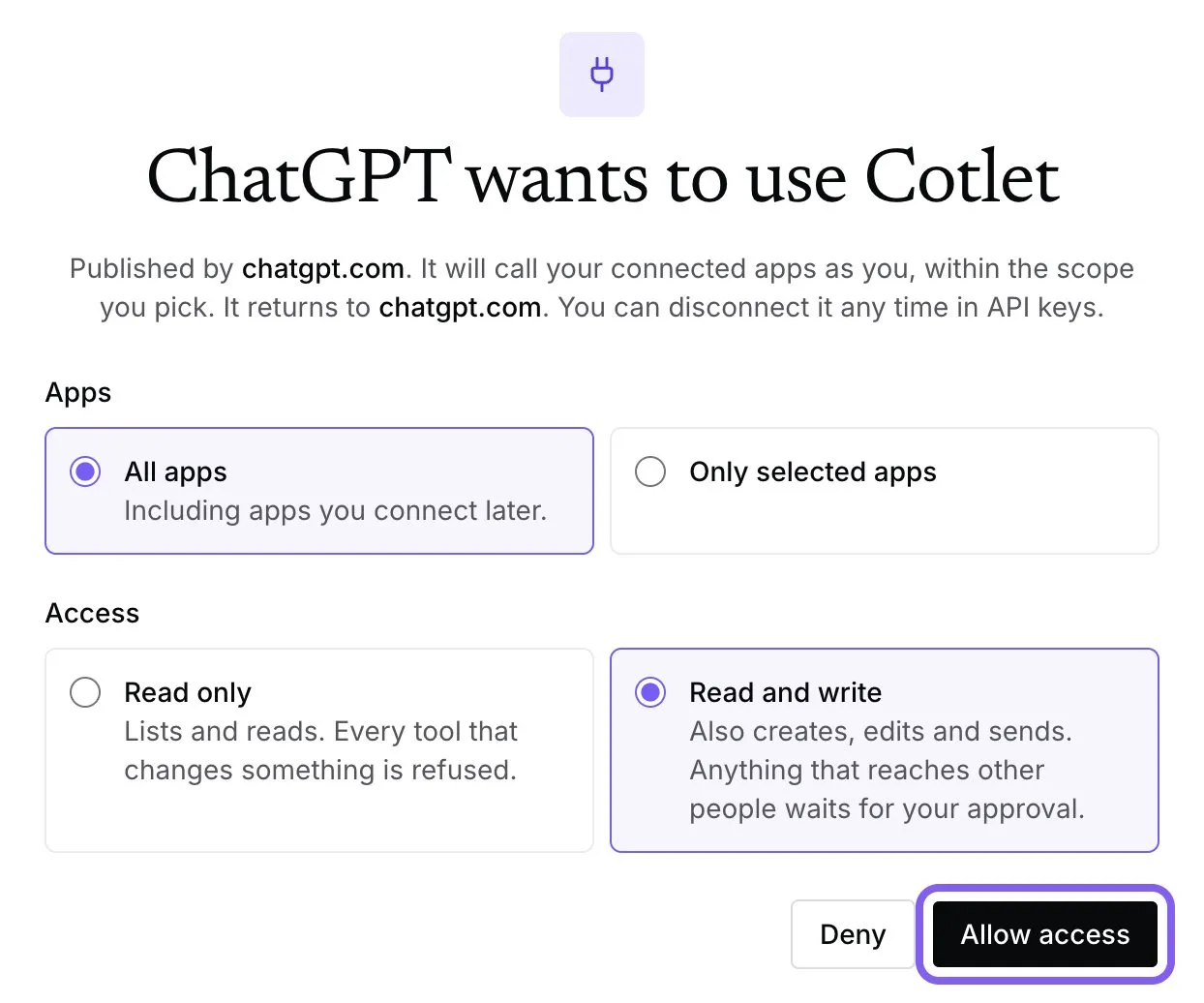
Cotlet consent page after you connect it in ChatGPT, November 2026.
ChatGPT asks “Allow ChatGPT to use Cotlet?” before some steps. Pick Always allow, or the chat waits for your click. On a Business, Enterprise or Edu workspace, an admin has to allow custom MCP servers first.
How to connect WebPT to Claude
- Open Connectors in Claude and click Add. In the desktop app it is under Customize, Connectors.
- Click Add custom connector.
- Paste the name
Cotletand the URLhttps://cotlet.dev/mcp/v1/connect, then click Continue. - Keep the settings and click Add.
- A Cotlet page opens. Click Allow access.
- In a chat, click the plus button, then Connectors, and turn Cotlet on.
- Ask Claude: “Are you signed in to Cotlet through MCP?”, then “Which WebPT patients have 3 or fewer authorized visits left or a plan of care that expires in the next 14 days?”. Claude asks before it uses a Cotlet tool the first time. Click Allow.

Claude, Customize, Connectors, Add menu, November 2026.

Cotlet consent page after you add the connector in Claude, November 2026.
Claude’s free plan allows one custom connector. On a Team or Enterprise plan, an owner adds Cotlet in Organization settings, Connectors, and you click Connect next to it.
How to connect WebPT to Claude Code
Add Cotlet without a key, then sign in once in the browser:
claude mcp add --transport http cotlet https://cotlet.dev/mcp/v1/connectRun /mcp in Claude Code, pick cotlet and sign in to Cotlet. Prefer an API key, for example on a server? Create one in the Cotlet console and use:
claude mcp add --transport http cotlet https://cotlet.dev/mcp/v1 \
  --header "Authorization: Bearer $COTLET_API_KEY"
How to connect WebPT to Codex
Create an API key in the Cotlet console, put it in the COTLET_API_KEY environment variable and add this to ~/.codex/config.toml:
[mcp_servers.cotlet]
url = "https://cotlet.dev/mcp/v1"
bearer_token_env_var = "COTLET_API_KEY"
How to connect WebPT to Cursor
Create an API key in the Cotlet console, put it in the COTLET_API_KEY environment variable and add this to ~/.cursor/mcp.json:
{
  "mcpServers": {
    "cotlet": {
      "url": "https://cotlet.dev/mcp/v1",
      "headers": { "Authorization": "Bearer ${env:COTLET_API_KEY}" }
    }
  }
}
How to connect WebPT to Grok
Grok takes custom MCP servers on grok.com, per xAI’s connectors documentation (checked 8 November 2026).
- Open grok.com/connectors and click New Connector.
- Pick Custom and paste the server URL
https://cotlet.dev/mcp/v1/connect. - Sign in to Cotlet when Grok asks, then click Allow access.
- Ask Grok: “Are you signed in to Cotlet through MCP?”
On Grok Business, an admin adds the connector first in the xAI console, under Grok Business, Connectors. The Grok chat inside X has no custom connector menu.
How to connect WebPT to Hermes Agent
Add Cotlet to ~/.hermes/config.yaml in the format of the Hermes MCP config reference:
mcp_servers:
  cotlet:
    url: "https://cotlet.dev/mcp/v1"
    headers:
      Authorization: "Bearer ${COTLET_API_KEY}"
    trust: untrusted
Put COTLET_API_KEY in ~/.hermes/.env and check it with hermes mcp test cotlet. With trust: untrusted, Hermes runs reads at once and asks before every write. More on Hermes in our post on the Hermes Agent browser.
How to connect WebPT to n8n
Use the MCP Client node, or the MCP Client Tool inside an AI Agent node:
- Server Transport: HTTP Streamable
- MCP Endpoint URL:
https://cotlet.dev/mcp/v1 - Authentication: Bearer Auth, with your Cotlet API key as the token
- Tools: let the AI Agent node use Cotlet’s browser tools; it reads Cotlet’s WebPT guide first and works in your signed-in WebPT account
Use it for work that should run on its own, such as a 7 am email with the visits that still have unsigned notes.
Any other MCP client
Point the client at https://cotlet.dev/mcp/v1 over Streamable HTTP, with the header Authorization: Bearer <your Cotlet API key>. A client that supports OAuth sign-in can use https://cotlet.dev/mcp/v1/connect instead and needs no key. The full reference is in the MCP docs.
Pick the one that matches the part of the week you dread most.
Notes that block billing
List yesterday’s visits with missing or unsigned notes in WebPT, grouped by therapist, and tell me which therapist has the oldest one.
WebPT’s reports guide names the Missed Notes report in Analytics for exactly this. The AI opens it, reads the rows and returns one short list per therapist. Run it every weekday at 7 am, and notes stop piling up until the end of the month. Nothing is changed in WebPT.
Authorizations before the visits run out
Which patients have 3 or fewer authorized visits left, or a plan of care that expires in the next 14 days? Sort by the earliest date.
A plan of care that lapses mid-treatment stalls the visit and the claim. The AI opens each active case, reads the Authorizations and Plan of Care tabs and returns the patients you need to renew first, with the payer and the date. You decide who gets a call, and a clinic with 150 active cases gets the answer in minutes instead of an afternoon.
Win back the visits that fell off the schedule
Who cancelled or no-showed this week and has no future appointment? Draft a rebooking text for each in my words. Send after my OK.
The AI reads the Cancels report in Analytics, checks each patient’s future visits and drafts a text that mentions the day and the therapist. You read the drafts, and only the ones you approve are sent. Front desks that rebook by hand tend to reach the first few patients and stop. Here every name on the list gets a draft.
Cotlet pricing on top of WebPT
Your WebPT subscription stays as it is. On the Cotlet side you buy credits once: 5,000 for $29, valid for a year, no recurring charge. A successful call costs 10 to 100 credits, a failed call nothing. After the trial, keeping WebPT connected for your agents costs 50 credits per day. A new account starts with 500 credits for 7 days, with no card (pricing).
FAQ
Does WebPT have an API?
Not one a clinic can use on its own. WebPT runs HL7 projects with partners and offers no developer portal or self-serve keys. Your signed-in account is all Cotlet needs.
Is there an official WebPT MCP server?
No. WebPT shows no MCP server and no ChatGPT or Claude app as of 26 November 2026. Cotlet’s server goes through the WebPT session you opened.
Can I get WebPT reports into a spreadsheet without waiting for an export?
Yes. The AI opens the report in Analytics, downloads it and fills your sheet. Since October 2026 a patient list export to Excel stops at 4,000 patients according to WebPT’s newsletter, so a large clinic can ask for it in slices, by therapist or by month.
Can AI check my notes and visit limits before claims go out?
Yes. It reads the Missed Notes report and each case’s authorizations and plan of care, then lists what needs fixing before you bill.
Can ChatGPT or Claude pull the signed notes for a records request?
Yes. Give it the patient names and the date range, and it downloads each signed note as a PDF into a folder. You review the folder before anything leaves the clinic.
Is Cotlet part of WebPT?
No. Cotlet is independent and has no link to WebPT. Everything runs under your own WebPT login.
Take Monday morning back
The report is already in WebPT. Reading it every day is the part nobody has time for. Start the free seven days, log in to WebPT in the Cloud Browser and ask Claude which notes will be missing tomorrow. The catalog covers other practice software.


