How to connect WinTeam to ChatGPT, Claude and any AI agent
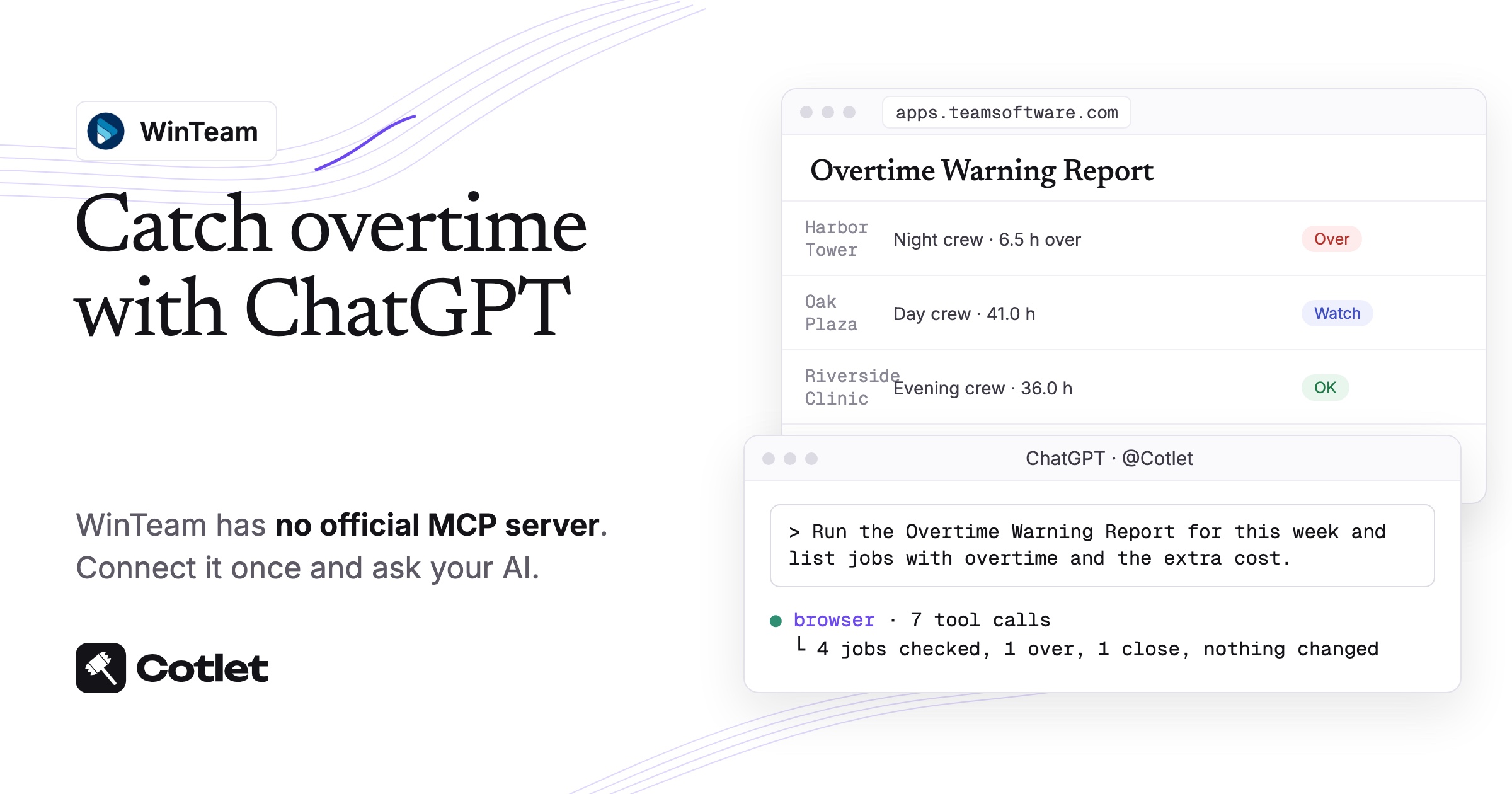
WinTeam has no official MCP server (checked 27 Nov 2026). See how ChatGPT or Claude can watch overtime, punches and job cost in your own WinTeam login.
Cotlet team 11 min read
It is Thursday, and the week closes tomorrow. Which jobs are heading into overtime? Which punches look wrong? WinTeam knows, but the answers sit in separate reports that you open one by one. As of 27 November 2026, TEAM Software offers no MCP server for WinTeam and no ChatGPT or Claude app. Its API runs through TEAM Software’s Concourse portal and is meant for software partners. An owner cannot simply copy a key. So the AI has to use the WinTeam login you already have. WinTeam is also unusual: most managers reach it as a desktop in a browser tab, so this guide says plainly what works well and what is slower.
This is for owners, operations managers and branch managers of building service contractors, cleaning and security. Employees in eHub and officers in WinTeam Mobile are out of scope.
What ChatGPT and Claude can do in WinTeam once connected
Give the AI a week, a branch or a job. It opens the screen that holds the answer and reports back.
| WinTeam area | Job for the AI |
|---|---|
| Reports, Overtime Warning Report | Lists jobs and employees with overtime scheduled or worked this week and the extra cost |
| TeamTime, punches | Lists employees whose clock in or out is outside the norm this pay period and what each needs corrected |
| Personnel Scheduling, Open Shift | Shows open shifts on your jobs and who is free and trained for each. Schedules nobody until you approve |
| Payroll, Processing Payroll | Reports unapproved hours, missing punches and employees with no pay rate. It does not process payroll |
| Accounts Receivable, Invoice Processing | Finds invoices still unsent this month and those older than 30 days, and drafts a reminder for each |
| Job Costing, On Screen Job Cost Analysis | Compares actual and budgeted labor per job this quarter and flags the ones losing money |
| TeamBid, won prospect | Lists what is missing before a won bid becomes a job with positions and tasks |
Reading changes nothing. Whatever touches pay, a schedule or a client waits for your yes, and payments are blocked. The WinTeam MCP page lists more jobs.
What exists for WinTeam today: MCP, API, remote desktop
Findings from 27 November 2026:
- No official MCP server. The MCP Registry returns nothing for WinTeam or TEAM Software. Neither ChatGPT’s directory nor Claude’s connector list shows a WinTeam entry. TEAM’s own AI, Wavelytics, lives inside the product.
- An API behind a portal. The Concourse API portal is where partners such as ADP and Avalara connect. A third-party report says TEAM has to enable your tenant before calls work. TEAM does not confirm that on its page, so ask your account contact.
- A desktop in the browser. WinTeam is a Windows application. Managers open it at apps.teamsoftware.com as a remote desktop. The browser shows a picture of the screen, not a web page with text.
- Real web parts. eHub is the web portal for employees and clients, and WinTeam Mobile is the phone app.
An API suits a partner syncing data. A signed-in session suits the manager who wants Friday’s overtime before Friday. The scoring of each point is in WinTeam’s API and MCP review.
Before the first request
- Your manager login for WinTeam, the one that opens Scheduling, TeamTime, Payroll and Accounts Receivable.
- The pay period dates and the branch you want checked first.
- A paid ChatGPT subscription, or a Claude account.
- A Cotlet account (pricing).
Step 1: sign in to WinTeam in your Cloud Browser
Go to apps.teamsoftware.com inside the Cloud Browser and log in as you do from the office. Once the desktop appears, start WinTeam as usual.
Because the desktop is a picture, the AI reads it by sight and moves the pointer by position. That is slower than on a normal web page and less exact. Cotlet keeps an encrypted session you can delete with one switch, and WinTeam alone receives your password (security).
Step 2: connect WinTeam to ChatGPT, Claude or another AI agent
The AI learns Cotlet’s address once. After that it works inside your session and never sees your password. Pick the tool you use.
Pick your AI above to see its steps.
How to connect WinTeam to ChatGPT
Do this on chatgpt.com in your browser. Cotlet then works in the ChatGPT desktop and phone apps too.
- Open Plugins in ChatGPT and click Add.
- Click Add custom MCP server. Not in the menu? Turn on Developer mode in Settings, Security and login, then come back.
- Paste the name
Cotletand the server URLhttps://cotlet.dev/mcp/v1/connect. Keep Authentication on OAuth. - Tick “I understand and want to continue” and click Create as a plugin.
- Click Connect Cotlet. A Cotlet page opens, click Allow access.
- In a new chat, type
@Cotletand pick it from the list. - Ask ChatGPT: “Are you signed in to Cotlet through MCP?” Then try a first WinTeam task: “Run the WinTeam Overtime Warning Report for this week and list the jobs with overtime and the extra cost. Change nothing.”
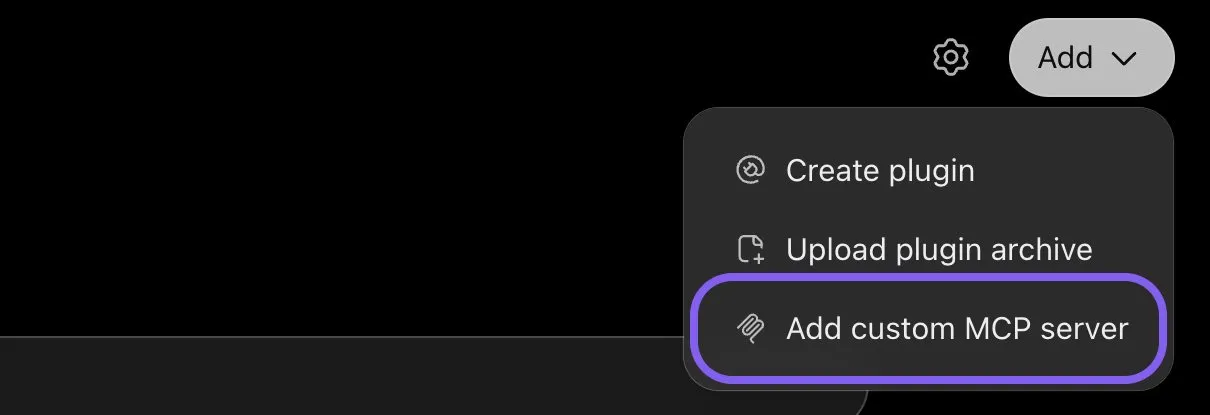
ChatGPT, Add menu on the Plugins page, November 2026.
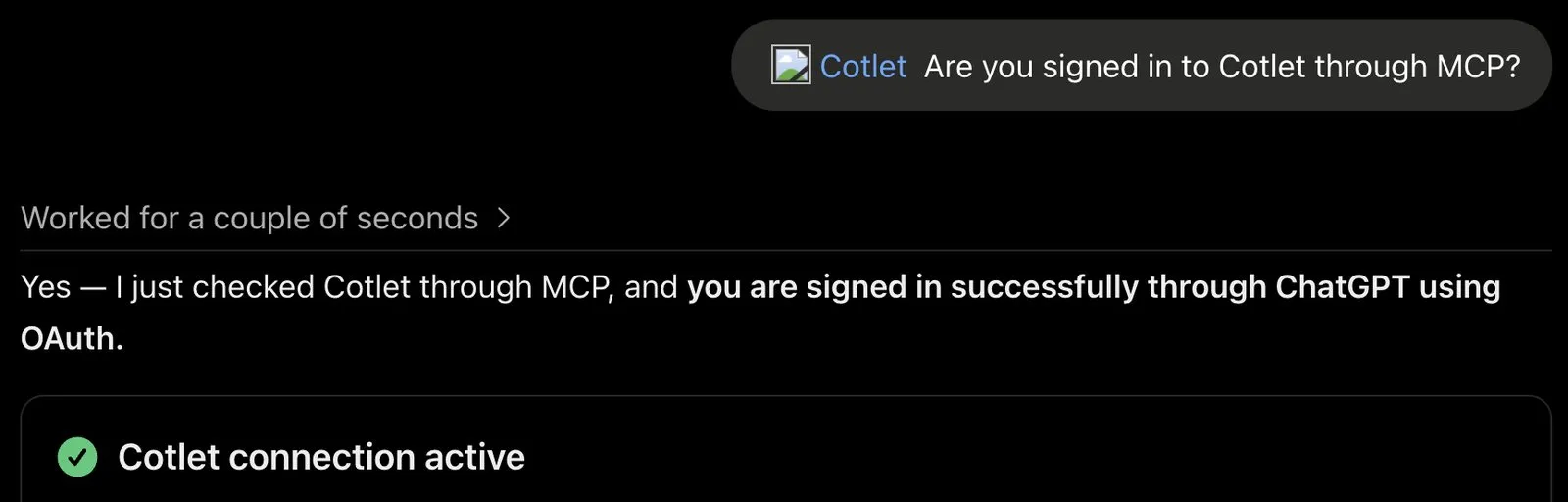
ChatGPT confirming the Cotlet connection, November 2026.
ChatGPT asks “Allow ChatGPT to use Cotlet?” before some steps. Pick Always allow, or the chat waits for your click. On a Business, Enterprise or Edu workspace, an admin has to allow custom MCP servers first.
How to connect WinTeam to Claude
- Open Connectors in Claude and click Add. In the desktop app it is under Customize, Connectors.
- Click Add custom connector.
- Paste the name
Cotletand the URLhttps://cotlet.dev/mcp/v1/connect, then click Continue. - Keep the settings and click Add.
- A Cotlet page opens. Click Allow access.
- In a chat, click the plus button, then Connectors, and turn Cotlet on.
- Ask Claude: “Are you signed in to Cotlet through MCP?”, then “In WinTeam, list employees whose punches look wrong this pay period. Change nothing.”. Claude asks before it uses a Cotlet tool the first time. Click Allow.

Claude, Add custom connector, last screen, November 2026.

Claude, chat menu, Connectors, November 2026.
Claude’s free plan allows one custom connector. On a Team or Enterprise plan, an owner adds Cotlet in Organization settings, Connectors, and you click Connect next to it.
How to connect WinTeam to Claude Code
Add Cotlet without a key, then sign in once in the browser:
claude mcp add --transport http cotlet https://cotlet.dev/mcp/v1/connectRun /mcp in Claude Code, pick cotlet and sign in to Cotlet. Prefer an API key, for example on a server? Create one in the Cotlet console and use:
claude mcp add --transport http cotlet https://cotlet.dev/mcp/v1 \
  --header "Authorization: Bearer $COTLET_API_KEY"
How to connect WinTeam to Codex
Create an API key in the Cotlet console, put it in the COTLET_API_KEY environment variable and add this to ~/.codex/config.toml:
[mcp_servers.cotlet]
url = "https://cotlet.dev/mcp/v1"
bearer_token_env_var = "COTLET_API_KEY"
How to connect WinTeam to Cursor
Create an API key in the Cotlet console, put it in the COTLET_API_KEY environment variable and add this to ~/.cursor/mcp.json:
{
  "mcpServers": {
    "cotlet": {
      "url": "https://cotlet.dev/mcp/v1",
      "headers": { "Authorization": "Bearer ${env:COTLET_API_KEY}" }
    }
  }
}
How to connect WinTeam to Grok
Grok takes custom MCP servers on grok.com, per xAI’s connectors documentation (checked 8 November 2026).
- Open grok.com/connectors and click New Connector.
- Pick Custom and paste the server URL
https://cotlet.dev/mcp/v1/connect. - Sign in to Cotlet when Grok asks, then click Allow access.
- Ask Grok: “Are you signed in to Cotlet through MCP?”
On Grok Business, an admin adds the connector first in the xAI console, under Grok Business, Connectors. The Grok chat inside X has no custom connector menu.
How to connect WinTeam to Hermes Agent
Add Cotlet to ~/.hermes/config.yaml in the format of the Hermes MCP config reference:
mcp_servers:
  cotlet:
    url: "https://cotlet.dev/mcp/v1"
    headers:
      Authorization: "Bearer ${COTLET_API_KEY}"
    trust: untrusted
Put COTLET_API_KEY in ~/.hermes/.env and check it with hermes mcp test cotlet. With trust: untrusted, Hermes runs reads at once and asks before every write. More on Hermes in our post on the Hermes Agent browser.
How to connect WinTeam to n8n
Use the MCP Client node, or the MCP Client Tool inside an AI Agent node:
- Server Transport: HTTP Streamable
- MCP Endpoint URL:
https://cotlet.dev/mcp/v1 - Authentication: Bearer Auth, with your Cotlet API key as the token
- Tools: let the AI Agent node use Cotlet’s browser tools; it reads Cotlet’s WinTeam guide first and works in your signed-in WinTeam session
Use it for work that should run on its own, such as a Thursday morning list of jobs heading into overtime.
Any other MCP client
Point the client at https://cotlet.dev/mcp/v1 over Streamable HTTP, with the header Authorization: Bearer <your Cotlet API key>. A client that supports OAuth sign-in can use https://cotlet.dev/mcp/v1/connect instead and needs no key. The full reference is in the MCP docs.
Three WinTeam jobs to try first
Begin with read-only requests, so you can compare the answer with the screen yourself.
See overtime before the week closes
Run the Overtime Warning Report for this week and list jobs and employees with overtime scheduled or worked, with the extra cost. Change nothing.
WinTeam has an Overtime Warning Report for exactly this. The AI runs it, then sorts the rows by cost and names the jobs where a swap would help. Moving anyone is your decision.
Find the punches that would break payroll
List employees whose clock in or out is outside the norm this pay period and what each one needs corrected. Wait for my OK before any change.
Punches come from the phone through Mobile TeamTime. The AI lists each odd entry with the employee, the job and the likely fix. You approve the edits one by one, and nothing is corrected silently.
Learn which contracts lose money
For each job, show actual against budget labor and cost this quarter and flag the ones losing money.
On Screen Job Cost Analysis compares actual costs with the budget. The AI reads it job by job and gives you a short list of losers with the gap in dollars. Use it before a renewal talk.
When the screen is a picture
A remote desktop has no page text to read, so give the AI a narrow task: one report, one job, one branch. Ask it to name the figures it read, and check two of them against the screen the first time. Where WinTeam offers an export, such as the files that Invoice Processing creates for other systems, ask for the export and let the AI read the file.
Four more requests for the same week
- Show me the open shifts on my jobs this week and who is free and trained for each. Schedule nobody until I approve.
- Which client invoices are unsent this month, and which are over 30 days? Draft a reminder for each late one. Send nothing.
- Walk me through where this pay period stands: unapproved hours, missing punches, employees with no pay rate. Do not process payroll.
- Take the won prospect from TeamBid and list what is missing to create its job, positions and tasks.
What it costs
You pay TEAM Software what you pay now. Cotlet charges in credits, $29 for a pack of 5,000 that lasts a year. A failed call costs nothing. Trial details and per call prices are on pricing.
FAQ
Does WinTeam have an official MCP server or ChatGPT app?
No. WinTeam has no official MCP server, and neither the MCP Registry nor ChatGPT’s and Claude’s directories list one. Cotlet connects your own ChatGPT or Claude to the screens of your WinTeam login.
Does WinTeam have an API I can use without a developer?
It has the Concourse API portal, built for integration partners. An owner cannot count on a self-serve key, and a third-party report says TEAM enables each tenant. Cotlet needs only your login.
Can ChatGPT or Claude work in WinTeam if it runs as a remote desktop?
Yes, with limits. The AI reads and clicks the picture by position. That is slower and less exact than a normal site, so keep requests narrow and check the first answers. eHub and other web parts behave like any website.
Can the AI process payroll or publish a schedule?
It prepares the checks and the lists. A step that pays people or notifies a crew waits for your approval.
Does Zapier, Make or n8n have a WinTeam app?
None turned up on 27 November 2026. A scheduled n8n workflow can still call Cotlet for the same check.
Is this an official WinTeam integration?
No. Cotlet is independent, and TEAM Software did not build it.
Before Friday’s close
The overtime is already on the schedule, so look at it today. Begin a free Cotlet week, log in to WinTeam one time and give your AI the first report. Related software lives in the catalog.