How to connect Worldpac speedDIAL to ChatGPT, Claude and AI agents
Worldpac has no official MCP server, and its API is for shop software vendors (checked 26 Nov 2026). Let Claude chase late orders in speedDIAL 2.0.
Cotlet team 12 min read
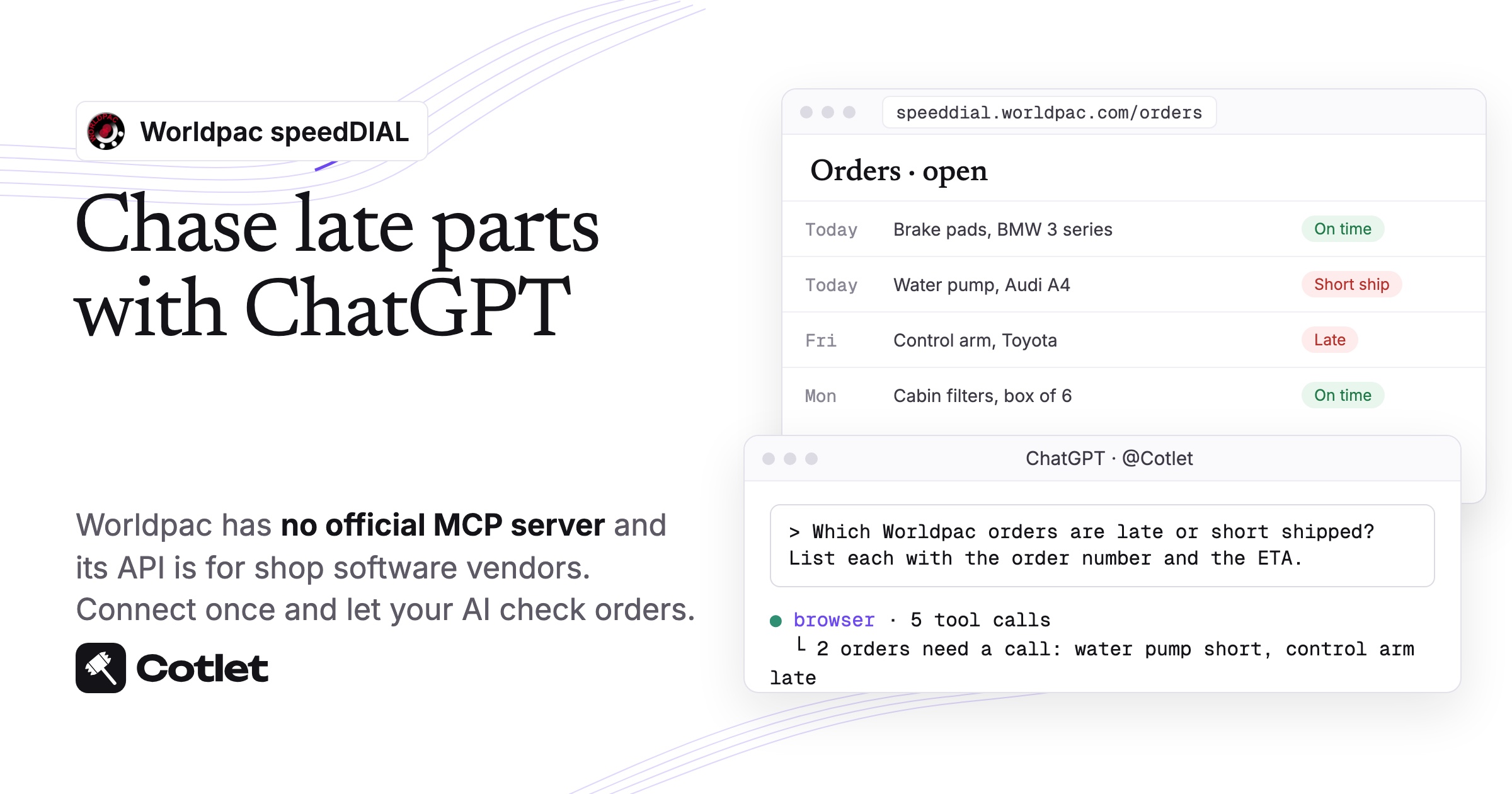
As of 26 November 2026 Worldpac has no official MCP server, no ChatGPT app and no Claude connector, and its API is built for shop management software, not for a shop. An AI can still work in your speedDIAL 2.0 account. You log in one time, inside a browser Cotlet runs for you in the cloud. After that, ChatGPT or Claude can list late orders, find returns that still have no credit and match invoices to repair orders. No code, and the whole setup fits in a coffee break.
You are the right reader if you buy the import parts for a shop: owner, service advisor or parts buyer with a Worldpac account. Cotlet is meant for whoever holds the speedDIAL login and wants the checking done for them. It is not for the driver waiting on the repair. It covers speedDIAL 2.0 in a browser. The older speedDIAL Classic is a program you install, and Cotlet does not open it.
What ChatGPT and Claude can do in speedDIAL 2.0 once connected
Ask in the words you use at the parts counter. The AI opens the screen, reads it and answers.
| Where in speedDIAL 2.0 | What the AI does |
|---|---|
| Orders | Lists orders that are late, short shipped or marked received, with order number and ETA |
| Returns | Lists parts you sent back that have no credit yet, with return date and amount |
| Invoices | Reads a month of invoices, exports the list and pairs each invoice with a repair order |
| Catalog, price and availability | Takes part numbers from your sheet and returns the Worldpac part number, price and stock |
| Cart | Fills a cart with the filters, pads and belts you reorder and stops before checkout |
| User management | Lists everyone with a login at your shop and who has not used it in 90 days |
Opening a screen changes nothing in speedDIAL. A note to your Worldpac rep, a cart sent to checkout or a user removed waits for your OK, and payments stay blocked. The full list is on the Worldpac speedDIAL MCP server page. If you want the same data in a sheet or in n8n, the Worldpac speedDIAL API page shows how to build your own endpoint.
Does Worldpac have AI, an API or an official ChatGPT app?
Here is what exists as of 26 November 2026.
- No official MCP server, no ChatGPT app, no Claude connector. The official MCP Registry returns no result for Worldpac or speedDIAL. Worldpac lists AI engineer jobs on its careers site, so it is building AI of its own, not a connector.
- The API belongs to software vendors. The Worldpac Developer Portal describes an SMS Vendor API for speedDIAL 2.0. Step one reads “obtain a vendor API Key and Worldpac customer account credentials”. It covers punchout sessions, offers and orders, and a shop owner has no key to request.
- Your shop software connects through that API. The speedDIAL 2.0 release notes list 2026 fixes for Mitchell 1 shipping methods, Tekmetric and Coupa ordering. Those links push parts into a repair order. They do not read your returns or invoices for you.
- Classic and 2.0 are different products. Only 2.0 runs in a browser, so only 2.0 works with Cotlet.
- Accounts are for businesses. A shop needs a wholesale account, opened through Worldpac’s Customer First team.
If your shop software already punches out to Worldpac, keep using it for ordering. What no connector covers is the checking around the order: late items, credits and invoices. A hosted server in your signed-in session is the route that reaches those screens. The full comparison of routes is on Does Worldpac have an API or MCP server?.
Before you log in
- A speedDIAL 2.0 login of your own. The speedDIAL 2.0 page says 2.0 has self-service user management, so your admin can add you.
- The account number and the shop it belongs to, if you have more than one location.
- Five or ten orders you are waiting on, so you can check the AI’s list against reality.
- ChatGPT or Claude. A free Claude plan holds a single custom connector, and one is all this needs.
- A Cotlet account. The first week is free and asks for no card (pricing).
Step 1: sign in to speedDIAL in your Cloud Browser
Launch the Cloud Browser from your Cotlet console and open speeddial.worldpac.com. Worldpac switched 2.0 to a new login page in August 2026, so skip old bookmarks. Type your account details yourself.
Worldpac itself warns that a speedDIAL login protects transaction history, customer data and pricing. Cotlet never reads the password. It holds only an encrypted session inside your own browser, and one click in the console cuts the AI off. When Worldpac logs you out, the agent sends a link so you can log in again. Details are on the security page.
Step 2: connect Worldpac speedDIAL to ChatGPT, Claude or another AI agent
One setting in your AI tool gives it Cotlet’s address. The signed-in speedDIAL session does the rest. Pick the tool you use.
Pick your AI above to see its steps.
How to connect Worldpac speedDIAL to ChatGPT
Do this on chatgpt.com in your browser. Cotlet then works in the ChatGPT desktop and phone apps too.
- Open Plugins in ChatGPT and click Add.
- Click Add custom MCP server. Not in the menu? Turn on Developer mode in Settings, Security and login, then come back.
- Paste the name
Cotletand the server URLhttps://cotlet.dev/mcp/v1/connect. Keep Authentication on OAuth. - Tick “I understand and want to continue” and click Create as a plugin.
- Click Connect Cotlet. A Cotlet page opens, click Allow access.
- In a new chat, type
@Cotletand pick it from the list. - Ask ChatGPT: “Are you signed in to Cotlet through MCP?” Then try a first Worldpac speedDIAL task: “Which Worldpac orders are late or short shipped? List each with the order number and the ETA.”
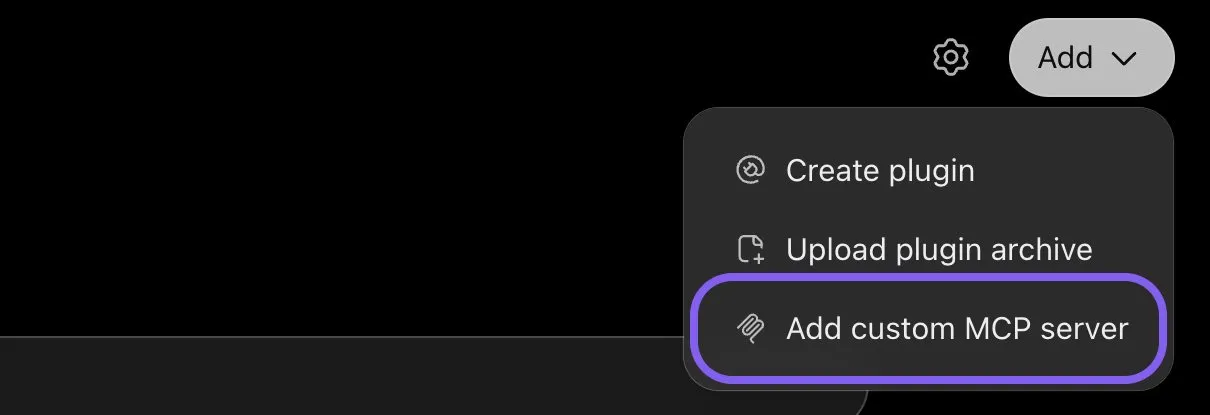
ChatGPT, Add menu on the Plugins page, November 2026.
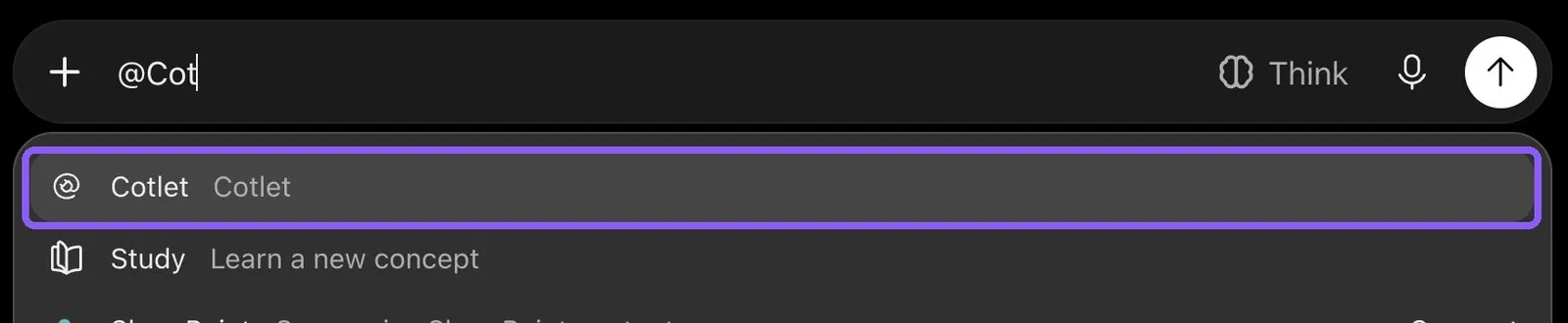
ChatGPT, picking Cotlet in a new chat with @, November 2026.
ChatGPT asks “Allow ChatGPT to use Cotlet?” before some steps. Pick Always allow, or the chat waits for your click. On a Business, Enterprise or Edu workspace, an admin has to allow custom MCP servers first.
How to connect Worldpac speedDIAL to Claude
- Open Connectors in Claude and click Add. In the desktop app it is under Customize, Connectors.
- Click Add custom connector.
- Paste the name
Cotletand the URLhttps://cotlet.dev/mcp/v1/connect, then click Continue. - Keep the settings and click Add.
- A Cotlet page opens. Click Allow access.
- In a chat, click the plus button, then Connectors, and turn Cotlet on.
- Ask Claude: “Are you signed in to Cotlet through MCP?”, then “List the parts I returned to Worldpac that still have no credit, with the return date and the amount.”. Claude asks before it uses a Cotlet tool the first time. Click Allow.

Claude, Add custom connector, last screen, November 2026.

Claude, chat menu, Connectors, November 2026.
Claude’s free plan allows one custom connector. On a Team or Enterprise plan, an owner adds Cotlet in Organization settings, Connectors, and you click Connect next to it.
How to connect Worldpac speedDIAL to Claude Code
Add Cotlet without a key, then sign in once in the browser:
claude mcp add --transport http cotlet https://cotlet.dev/mcp/v1/connectRun /mcp in Claude Code, pick cotlet and sign in to Cotlet. Prefer an API key, for example on a server? Create one in the Cotlet console and use:
claude mcp add --transport http cotlet https://cotlet.dev/mcp/v1 \
  --header "Authorization: Bearer $COTLET_API_KEY"
How to connect Worldpac speedDIAL to Codex
Create an API key in the Cotlet console, put it in the COTLET_API_KEY environment variable and add this to ~/.codex/config.toml:
[mcp_servers.cotlet]
url = "https://cotlet.dev/mcp/v1"
bearer_token_env_var = "COTLET_API_KEY"
How to connect Worldpac speedDIAL to Cursor
Create an API key in the Cotlet console, put it in the COTLET_API_KEY environment variable and add this to ~/.cursor/mcp.json:
{
  "mcpServers": {
    "cotlet": {
      "url": "https://cotlet.dev/mcp/v1",
      "headers": { "Authorization": "Bearer ${env:COTLET_API_KEY}" }
    }
  }
}
How to connect Worldpac speedDIAL to Grok
Grok takes custom MCP servers on grok.com, per xAI’s connectors documentation (checked 8 November 2026).
- Open grok.com/connectors and click New Connector.
- Pick Custom and paste the server URL
https://cotlet.dev/mcp/v1/connect. - Sign in to Cotlet when Grok asks, then click Allow access.
- Ask Grok: “Are you signed in to Cotlet through MCP?”
On Grok Business, an admin adds the connector first in the xAI console, under Grok Business, Connectors. The Grok chat inside X has no custom connector menu.
How to connect Worldpac speedDIAL to Hermes Agent
Add Cotlet to ~/.hermes/config.yaml in the format of the Hermes MCP config reference:
mcp_servers:
  cotlet:
    url: "https://cotlet.dev/mcp/v1"
    headers:
      Authorization: "Bearer ${COTLET_API_KEY}"
    trust: untrusted
Put COTLET_API_KEY in ~/.hermes/.env and check it with hermes mcp test cotlet. With trust: untrusted, Hermes runs reads at once and asks before every write. More on Hermes in our post on the Hermes Agent browser.
How to connect Worldpac speedDIAL to n8n
Use the MCP Client node, or the MCP Client Tool inside an AI Agent node:
- Server Transport: HTTP Streamable
- MCP Endpoint URL:
https://cotlet.dev/mcp/v1 - Authentication: Bearer Auth, with your Cotlet API key as the token
- Tools: let the AI Agent node use Cotlet’s browser tools; it reads Cotlet’s Worldpac speedDIAL guide first and works in your signed-in speedDIAL account
Use it for work that should run on its own, such as a Friday list of returns that still have no credit, sent to your inbox.
Any other MCP client
Point the client at https://cotlet.dev/mcp/v1 over Streamable HTTP, with the header Authorization: Bearer <your Cotlet API key>. A client that supports OAuth sign-in can use https://cotlet.dev/mcp/v1/connect instead and needs no key. The full reference is in the MCP docs.
Three Worldpac jobs to try first
Start with the order that is holding up a bay.
Late and short-shipped orders
Which Worldpac orders are late, short shipped or marked received but not on my shelf? List them with the order number and ETA.
One service advisor described the case: a radiator showed as received in speedDIAL, but the box had been signed for by someone who no longer worked there. The AI opens Orders, reads status, ETA and what was delivered, and returns one list sorted by the day each car is booked. Since September 2026 new orders also show who submitted them and the ship-to address, so a wrong signature is easier to trace. After your OK it drafts a message to your rep with the order numbers.
Returns waiting for credit
List parts I returned to Worldpac that still have no credit, with the return date and the amount.
The same thread tells of a return where credit was refused at first, then granted after a question. Worldpac’s release notes mention return date search and reason selections on the Returns screen. The AI uses them: it opens Returns, reads each one and lists those with no credit, oldest first, with the amount you are owed. Run it weekly and a missing credit shows up while the return is still easy to prove. It changes nothing and asks before it contacts anyone.
Invoices matched to repair orders
Match this month’s Worldpac invoices to my repair orders and list the ones where one order came on several invoices.
The Invoices screen has an Export Invoice list option, added in December 2024, and since November 2025 invoices and packing lists carry the manufacturer part number. The AI exports the list, reads the reference on each line and pairs it with the repair order numbers you paste in. Orders split across invoices are flagged. You hand your bookkeeper a clean sheet instead of a pile of PDFs.
What it costs
speedDIAL comes with buying from Worldpac, so nothing changes on that side. On the Cotlet side you buy credits once. A $29 pack holds 5,000, valid for a year, with no subscription behind it. A call that works takes between 10 and 100 credits. A call that fails costs nothing. New accounts get a week of trial with 500 credits and no card. Afterwards the Cloud Browser uses 50 credits on each day Worldpac stays enabled for agents (pricing).
FAQ
Does Worldpac have an official MCP server?
No. The MCP Registry has no Worldpac entry, and Worldpac has no ChatGPT app or Claude connector (checked 26 Nov 2026). Cotlet is a hosted server that works in your own speedDIAL 2.0 account.
Do I need a Worldpac API token to use AI with speedDIAL?
No. The AI works in your account in the browser on the same screens you use. The token belongs to shop management systems that Worldpac has approved.
Can AI check my Worldpac orders and returns for me?
Yes. It reads the Orders and Returns screens, lists what is late or has no credit, and drafts a note to your rep after your OK.
Can it compare Worldpac prices with my other suppliers?
Yes, for the parts you list. It reads the Worldpac price and ETA and sets them next to prices from suppliers you also sign in to, or numbers you paste in. It marks the cheapest in stock and does not place the order.
Does this work with speedDIAL Classic?
No. Classic is a program for Windows and Mac. Cotlet works with speedDIAL 2.0 in a browser.
Is Cotlet part of Worldpac?
No. Cotlet is independent and acts only through your own login.
Chase the next missing part
Somewhere on the Orders screen a part is already late, and nobody has told you. Start the free Cotlet trial, sign in to speedDIAL from the Cloud Browser and ask your AI to find it. Running a different shop system? See the catalog.


